

Scalable QA with Built-in Data Parameterization : Muffins

Scalable QA with Built-in Data Parameterization : Muffins
Written by Muffins Team
Despite many advancements in test automation tools, organizations still face the same core problem: Quality Gaps.
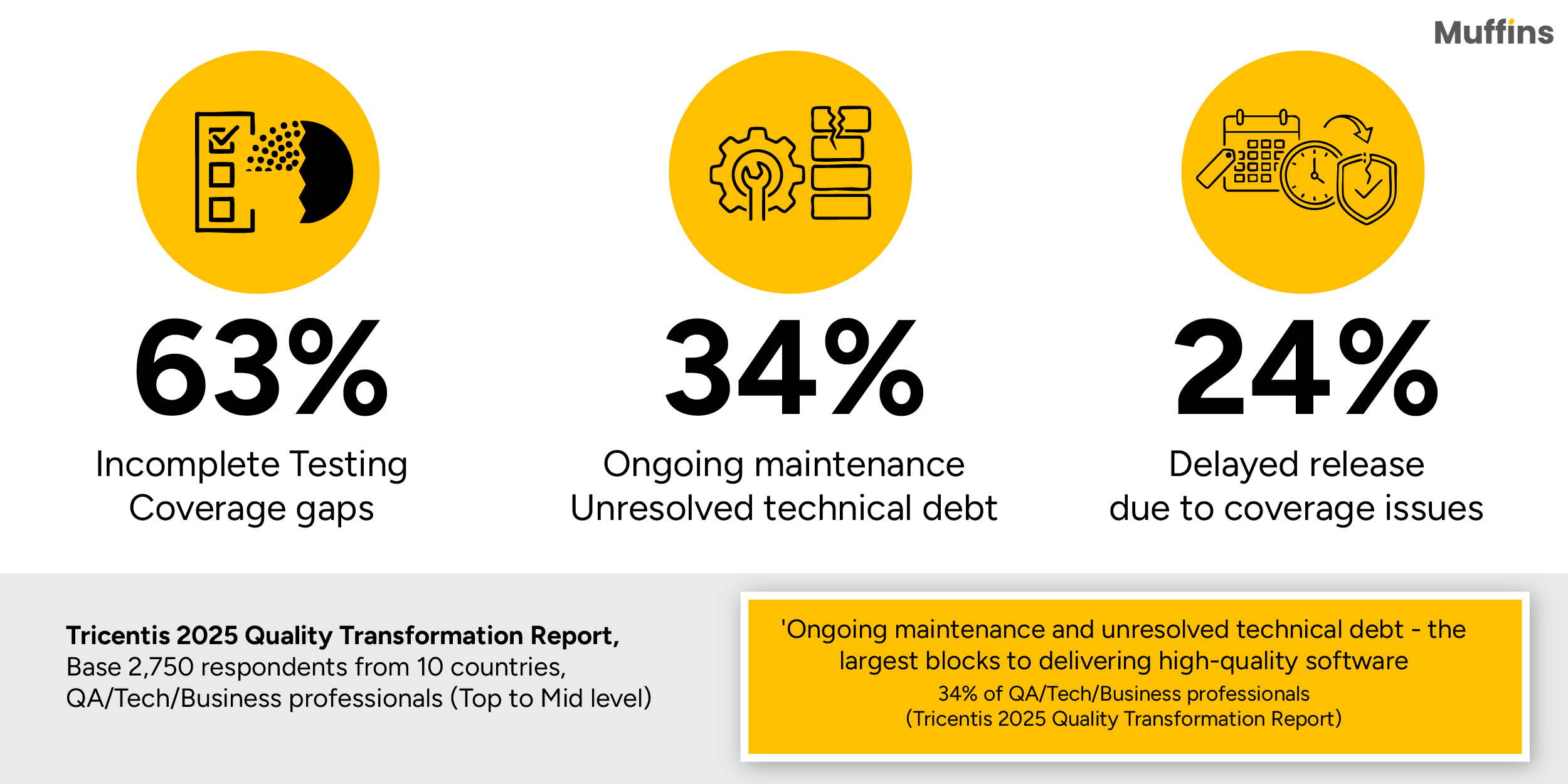
The Tricentis 2025 Quality Transformation Report * highlights that 63% of QA, Tech, and Business professionals admit to deploying untested code often — because there is simply too much to test (38%) or they are not sure what to test (25%). Bloated test libraries, duplicated scripts, and overlooked edge cases continue to result in costly production failures, even with the most advanced automation stacks.

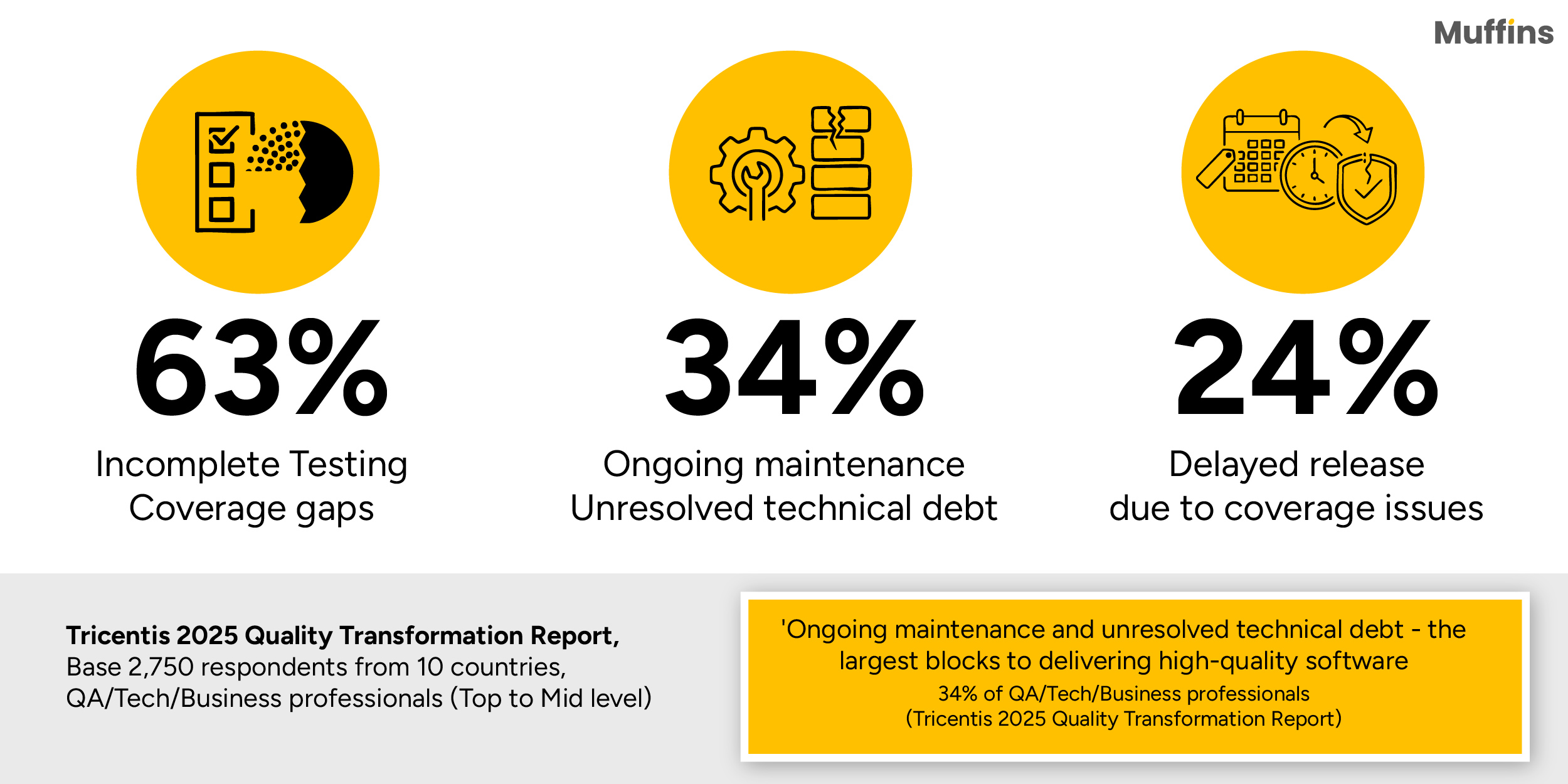
As software gets more complex and releases happen faster, fragile scripts and repetitive manual fixes are not able to keep up. Test automation needs to evolve — and a key part of this evolution is becoming data-driven. While we don’t have a single magic bullet that can fix every gap, leveraging dynamic data helps teams achieve broader coverage, minimize maintenance, and catch defects before they slip into production.
This is where Muffins — our No-Code generative test automation platform, can bring in a streamlined solution : Design once, Test endlessly.
1. Data Parameterization in Muffins : Design Once, Test endlessly
One of the biggest hurdles in scaling test automation is data. The same test often needs to be validated against multiple inputs—different usernames, payment methods, device types, or environments. Traditional tools demand multiply scripts --- you know writing separate scripts for each variation, would lead to many test suites that are hard to maintain and prone to errors.
Muffins flips the approach. With built-in parameterization, a single test runs across different datasets, environments and configurations — this means, zero duplication, zero rework, zero brittle maintenance, no stress on broken scripts. Users can simply swap inputs (e.g., usernames, URLs, or other variables), while Muffins manages the execution.
Take a Monday release where you need to validate a login flow across 5 environments (Dev, QA, staging, Product, Sandbox), 3 user types (admin, guest, premium), and 3 browsers (Chrome, Firefox, Safari). In a traditional setup, this demands 45 individual scripts—each manually created, updated, and debugged. A single UI change, like a new login field, could mean hours of rework, while a typo in one script might silently slip a flawed test into production. Muffins eliminates this chaos through parameterization.

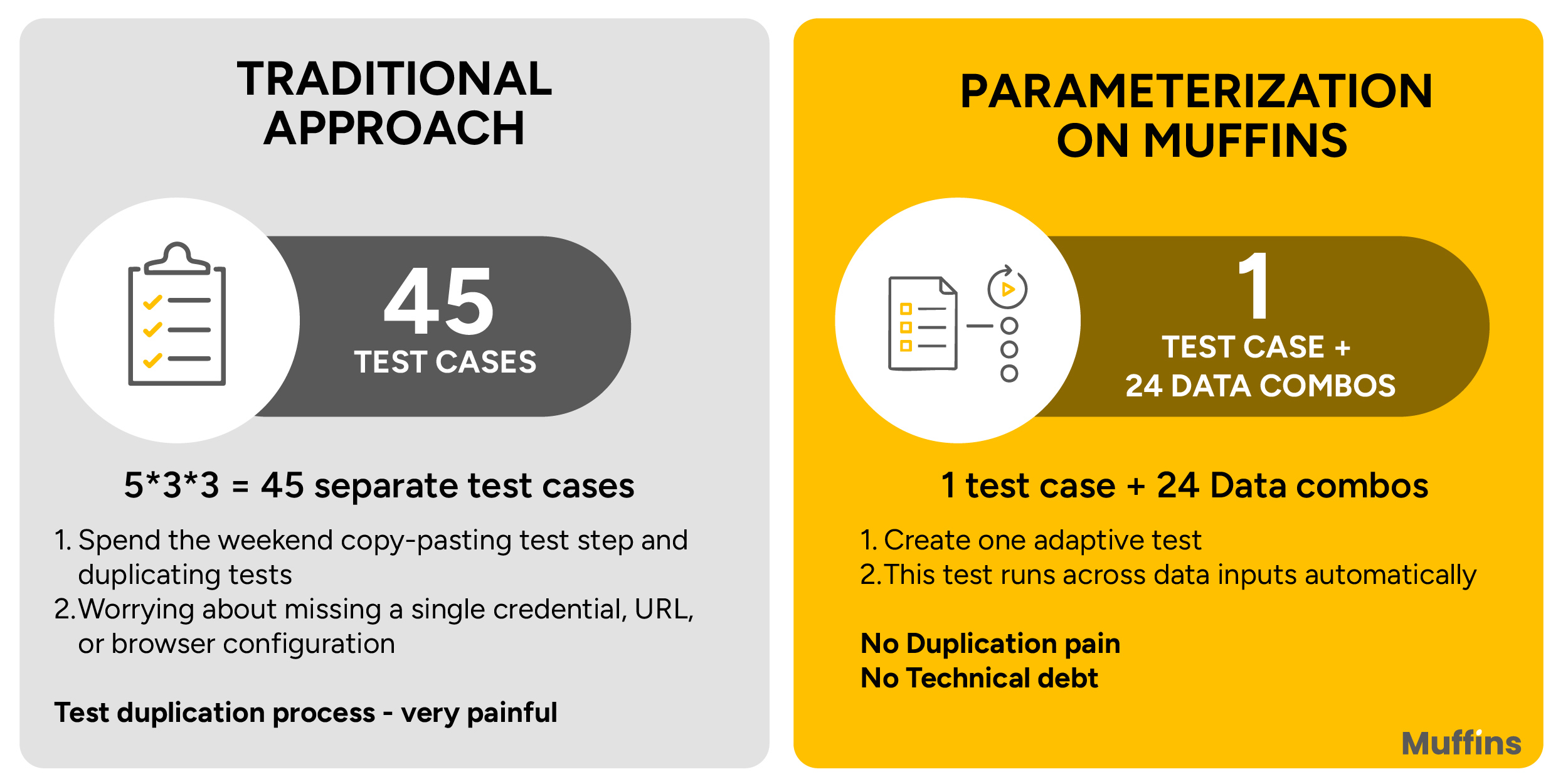
Instead of hard-coding values like usernames or URLs,
testers define parameters :{environment} {user_type} {browser}) in a single test case.
Muffins’ platform then iterates over all combinations,
executing the test across every scenario, without duplicating scripts.
Lets dive deeper into Data Parameterization in Muffins.
2. How Data Parameterization happens in Muffins
In Muffins, Data Parameterization happens at two main levels:
- Test case level (focusing on data variations)
- Execution level (focusing on environments)
a) Test Case level Parameterization (Data variations)
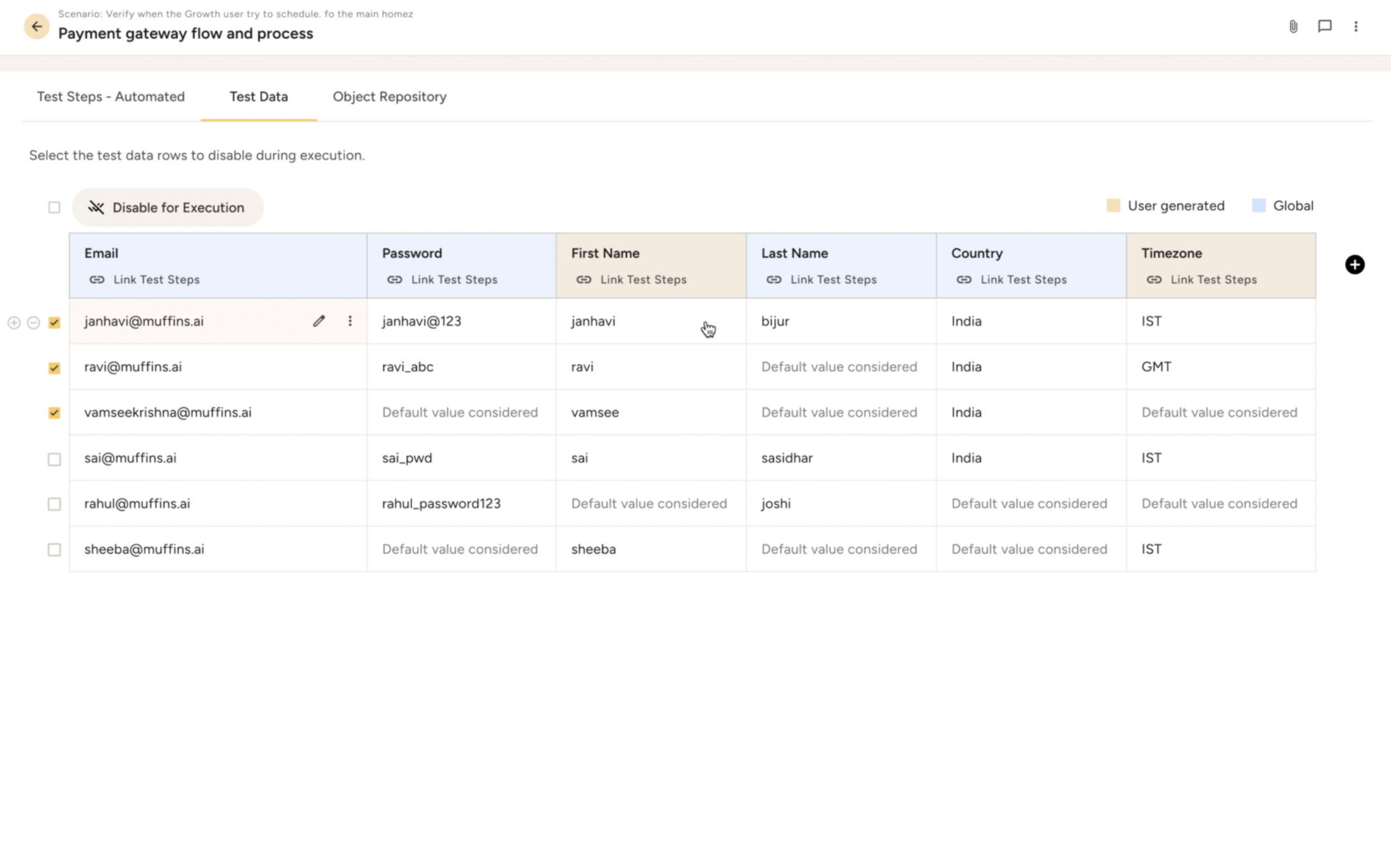
- Adding Parameters: In the test design phase, you add variables to parameterize specific steps. For example, in a login test, you can define variables for inputs like usernames or passwords. Muffins allows you to define variables (e.g., usernames, passwords) and link them to test steps via a no-code interface, pulling values from predefined or uploaded datasets such as CSV files or spreadsheets.
- Global Data Sources: Parameters are stored in a centralized global data repository, typically uploaded as static data (e.g., from CSV files or spreadsheets). This data can be reused across test suites -- ensuring consistency and avoiding manual updates in individual tests. Dynamic data integration (databases, real-time spreadsheets) is on the roadmap, promising automatic syncing for real-time testing.

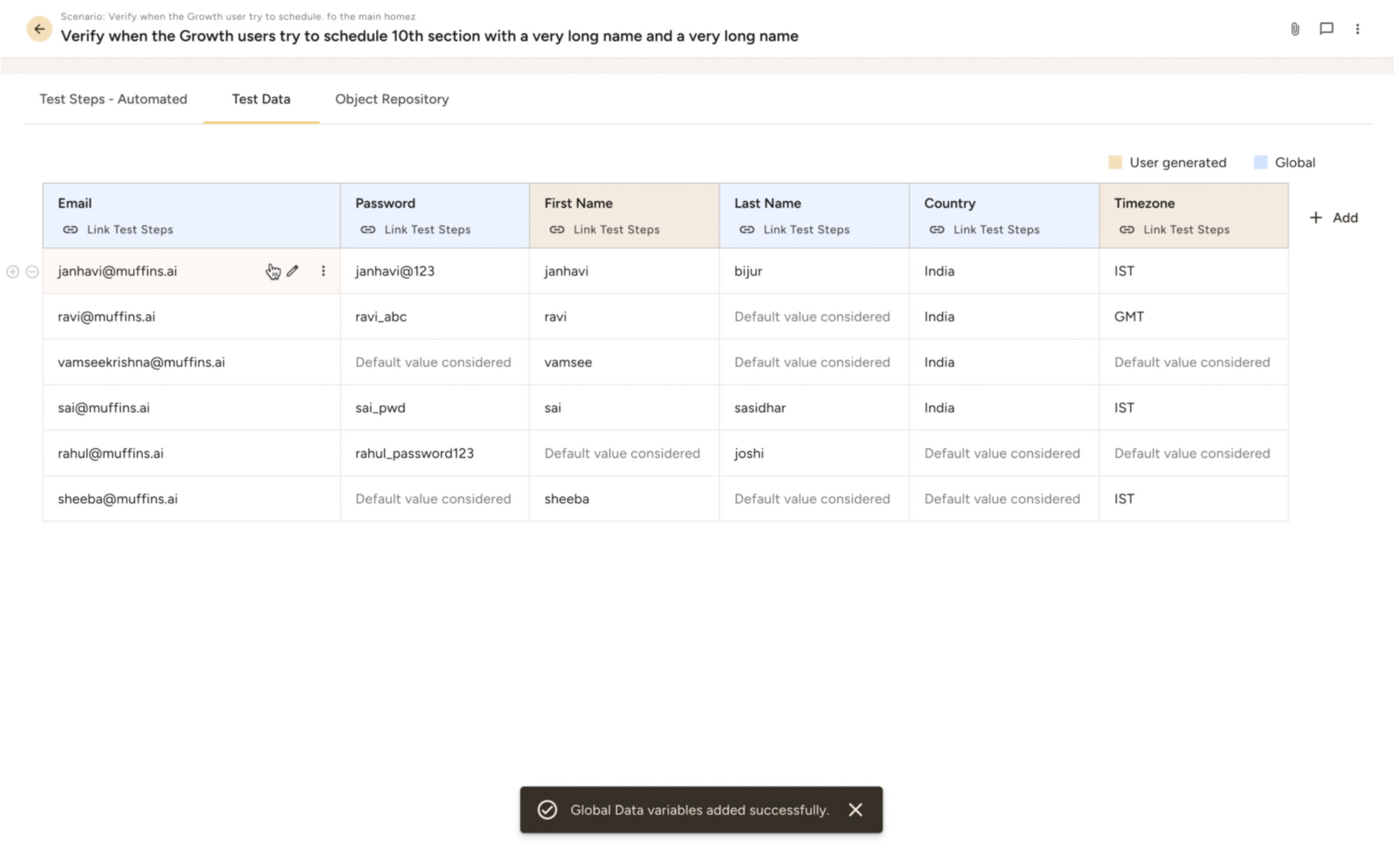
- Iteration over Datasets: A single test dynamically iterates over diverse datasets. For instance, a retail app’s checkout test can cover multiple user roles, device types, transaction scenarios, or payment methods (say credit, UPI, wallet etc in a retail app's checkout flow), without separate scripts. Muffins dynamically pulls data during execution, replacing the whole set of separate tests with one parameterized version as shown in the login example above.
- Variable Substitution: Muffins swaps static inputs with parameterized values, decoupling test logic from the data, for seamless execution.
b. Execution level Parameterization (Environments and Batches)
- Environment Selection: Users define multiple environments (say India, USA, Indonesia, Singapore) in the product settings. During execution, the same test or suite can be run against different environments without modifying the test itself—no need to update URLs or configurations in each test case.

- Batch Execution: For a batch of tests (say 100 test cases), users select environments and trigger executions in parallel on remote machines. For example, one machine runs tests in the QA environment, while another runs the same suite in the USA environment, with environment-specific variables employed automatically.
- Remote and Parallel Runs: Muffins supports remote execution options, allowing batches to run on multiple remote machines. This scales testing across global setups, with each execution tailored to a specific environment.
3. Distinct features of Data Parameterization in Muffins
Muffins with its Data parameterization features tailored for efficiency and scalability stands out distinct from other TA tools :
- Single-Session Authentication: The ability to run batches of test cases using a single authentication session sets Muffins apart from others - when running tests across global environments or client-specific setups, users can authenticate only once per batch. The system maintains the same browser session throughout the execution – No repeated OTPs, No push notifications. Just straight-through execution that saves hours.
- Centralized Global Data Management: This allows teams to store test data in one location and reuse it across test suites – ensuring consistency and easier maintenance. Currently supporting static data (e.g., CSV files), Muffins has the roadmap for integrating dynamic data sources like databases & spreadsheets, which are ideal for enterprises managing complex test configurations across staging, production and client-specific environments.
- Environment-agnostic Execution: Parameterization extends beyond data to environments, allowing parallel runs of the same tests on multiple setups, say dev, QA, staging, production etc. Even better, teams can run these in parallel across remote machines, scaling coverage.
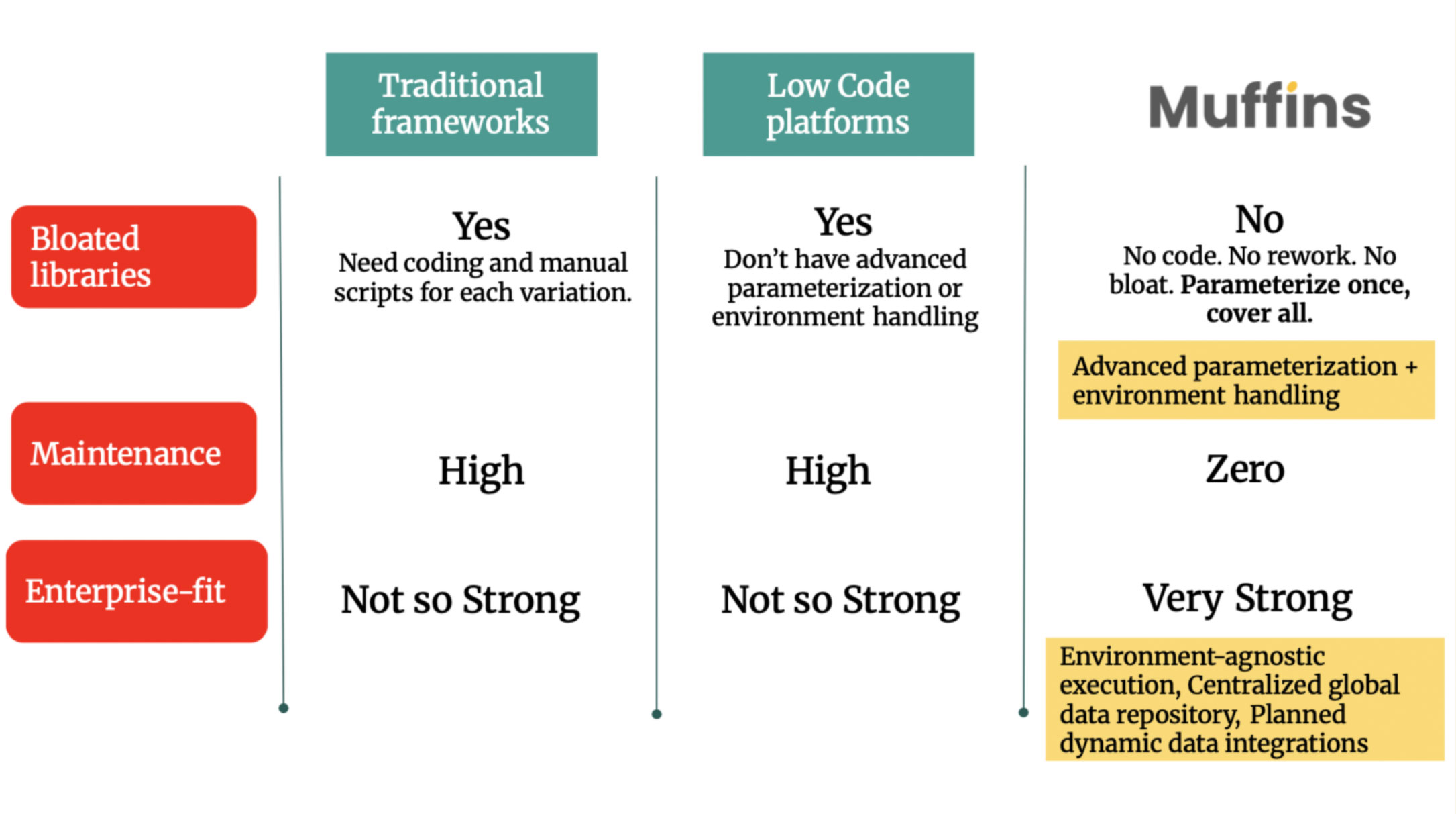
4. Muffins Vs other Test Automation tools on Data Parameterization
By combining No-Code generative automation with robust Data Parameterization, Muffins enables teams to achieve broader coverage, zero maintenance, and preventable field issues. Powered by features like single-session authentication, environment-agnostic execution, and centralized global data management, it can be the most ideal solution for enterprises navigating complex, multi-environment setups.

Connect with us at sales@muffins.ai if you want to know about the technical workings of Data parameterization in Muffins and how it can handle your everyday QA bottlenecks. We would love to support your QA transformation.
(Muffins.AI is the no-code enterprise grade test automation platform with intelligent test design at its core. Our powerful generative test design module enables deeper exploration of your web app, uncovering issues early, while execution and defect resolution are fully automated. The outcome? Higher coverage, faster releases with uncompromising quality. You may love to explore our outcome-guaranteed engagement model.)
Frequently asked questions
Subscribe today.
More related blogs
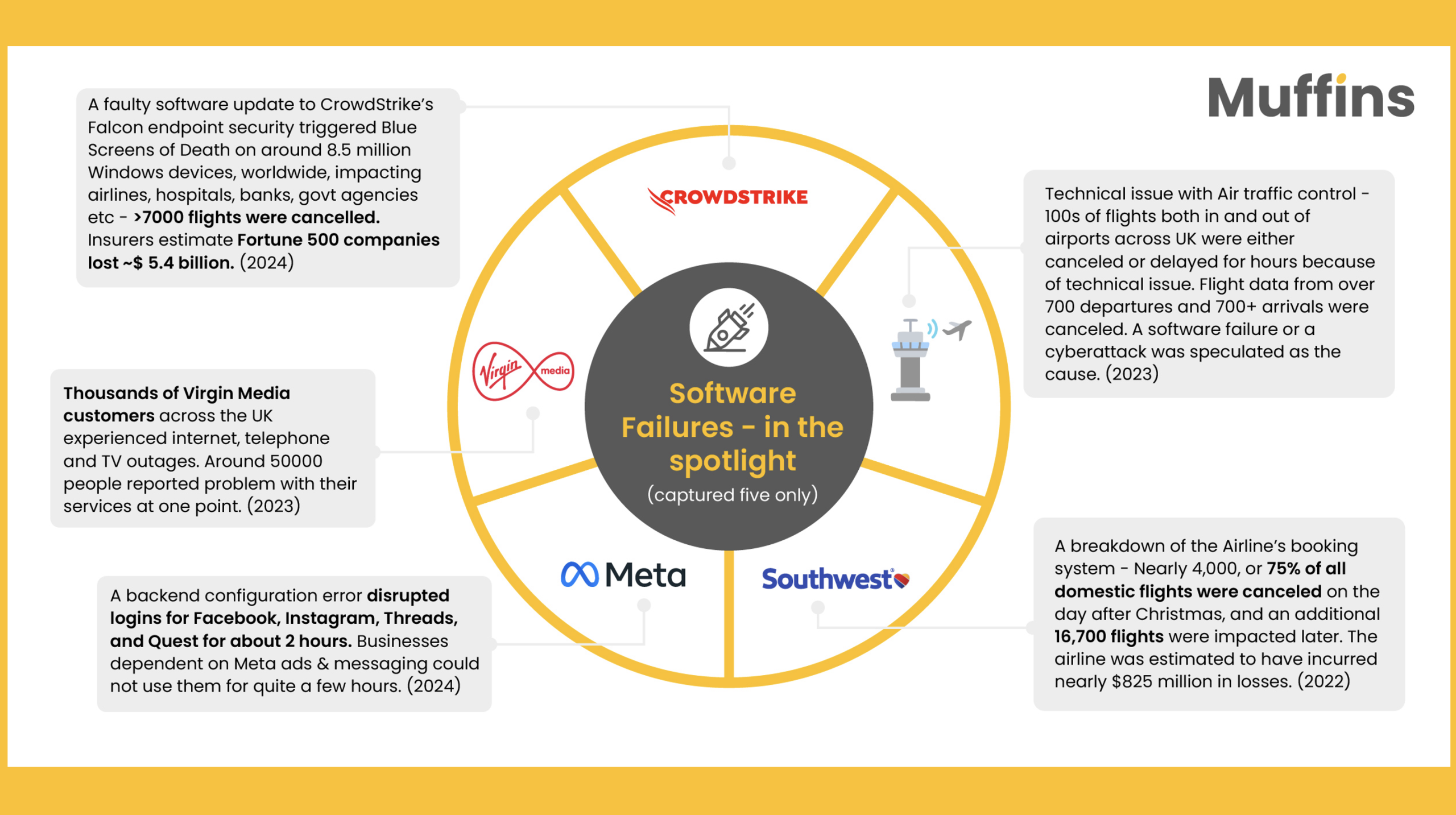
Why enterprises need Muffins – the Preventive No-code QA that can stop software outages
- July 27, 2025
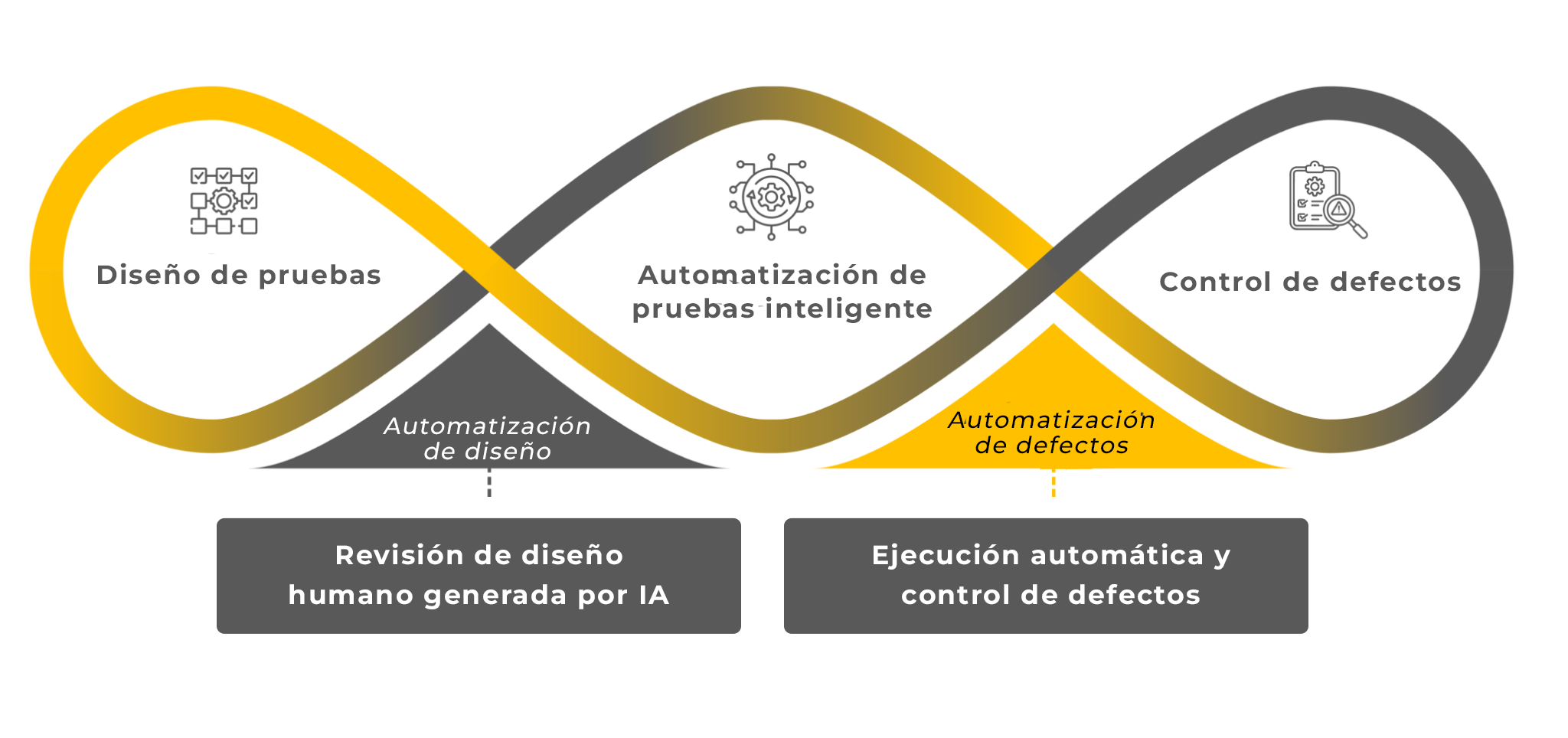
La Perspectiva de Muffins: Por Qué el Design Thinking es Esencial para el Éxito en Agile (Parte 2)
- December 1, 2024

Transición a la Automatización de Pruebas hecha fácil para Testers Manuales – Muffins
- March 12, 2025