Execute tests anywhere,
anytime, at any scale
Run tests across browsers, environments, and platforms with zero infrastructure overhead. Schedule, parallelize, and integrate seamlessly with your CI/CD pipeline; all from a single control center.
See the Difference
Core Capabilities
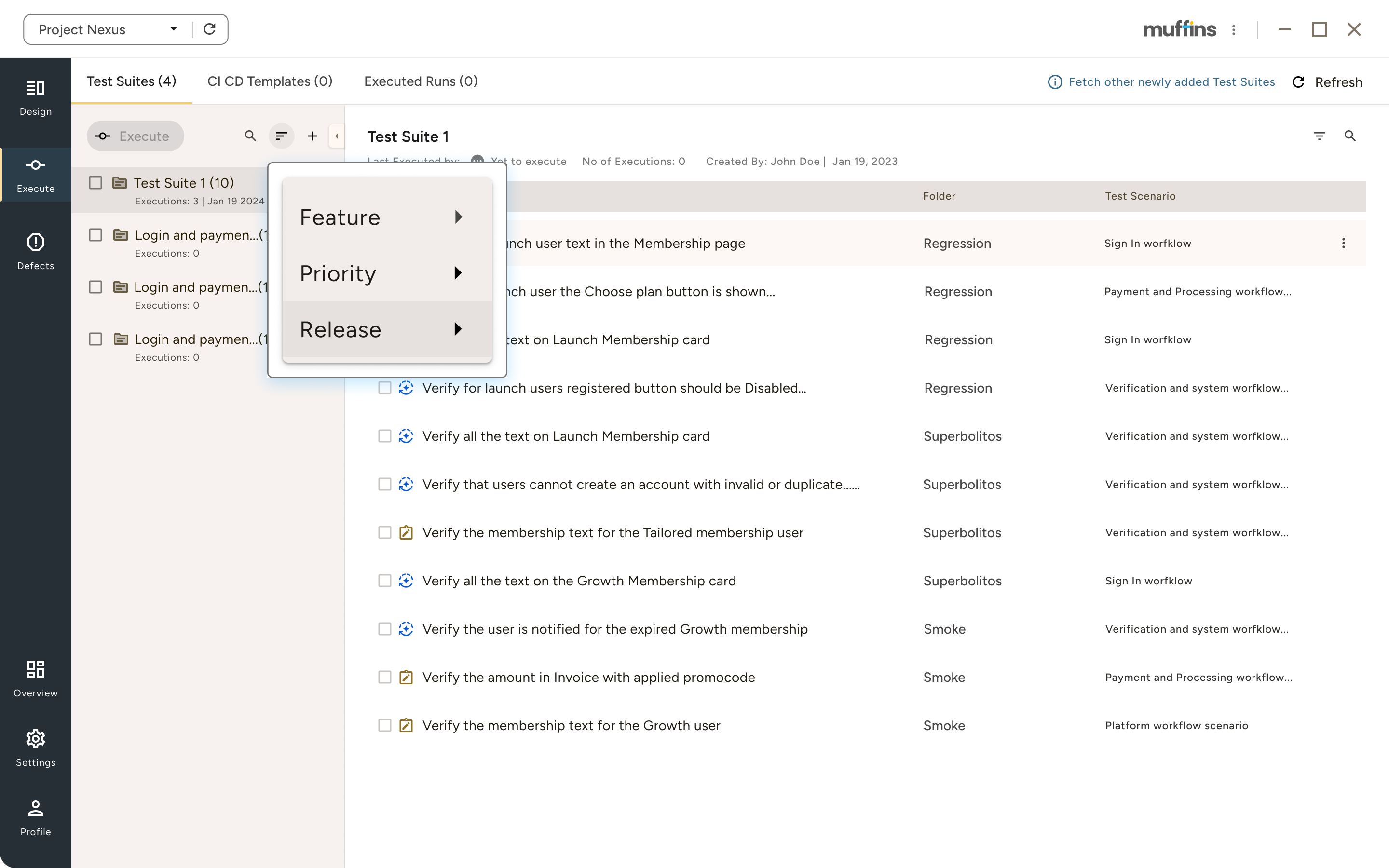
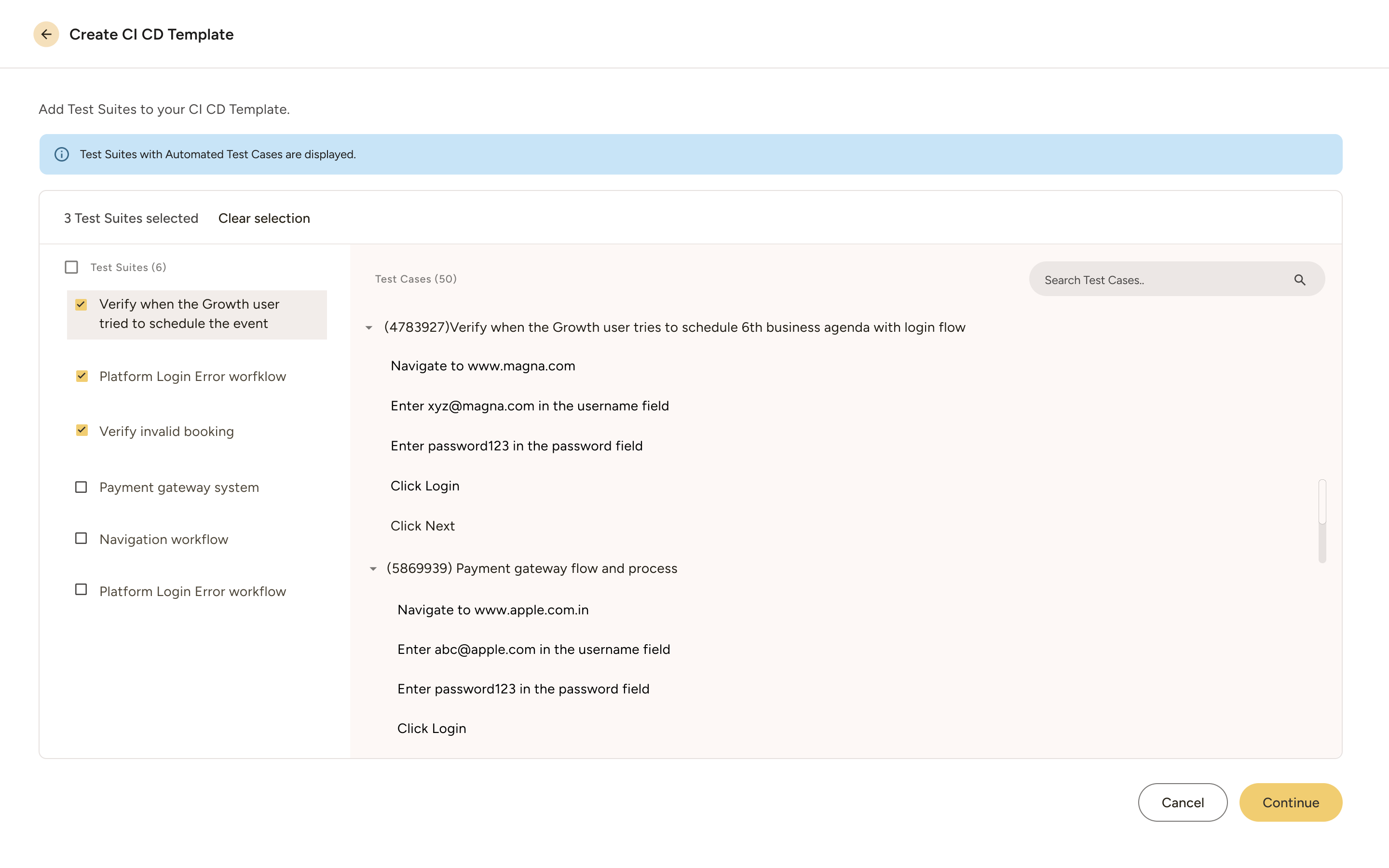
Smart Test Suites
- Group tests by feature, priority, or release. Execute smoke tests after deployment, full regression before release, or custom suites on demand.
1.png)
Flexible Execution Models
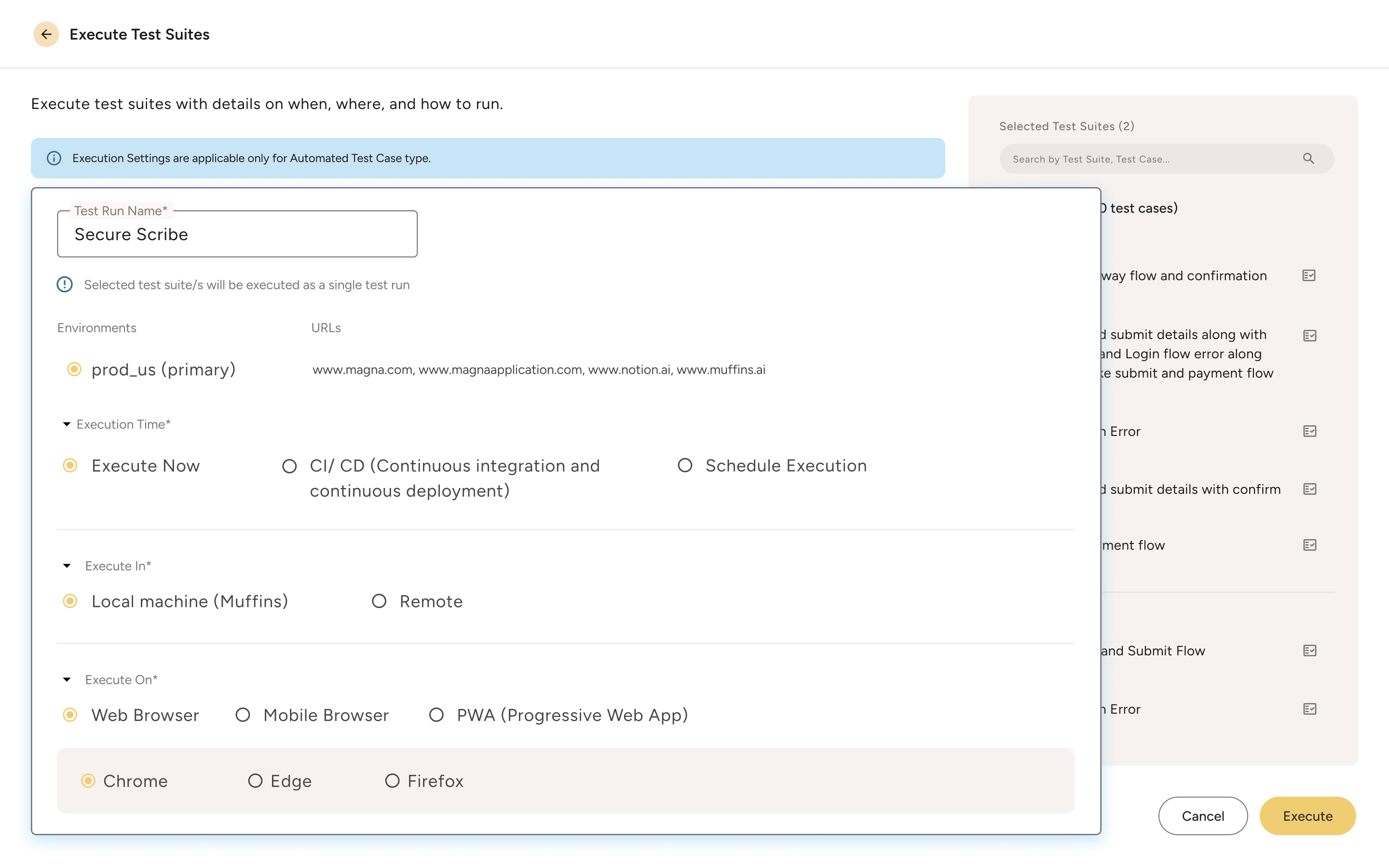
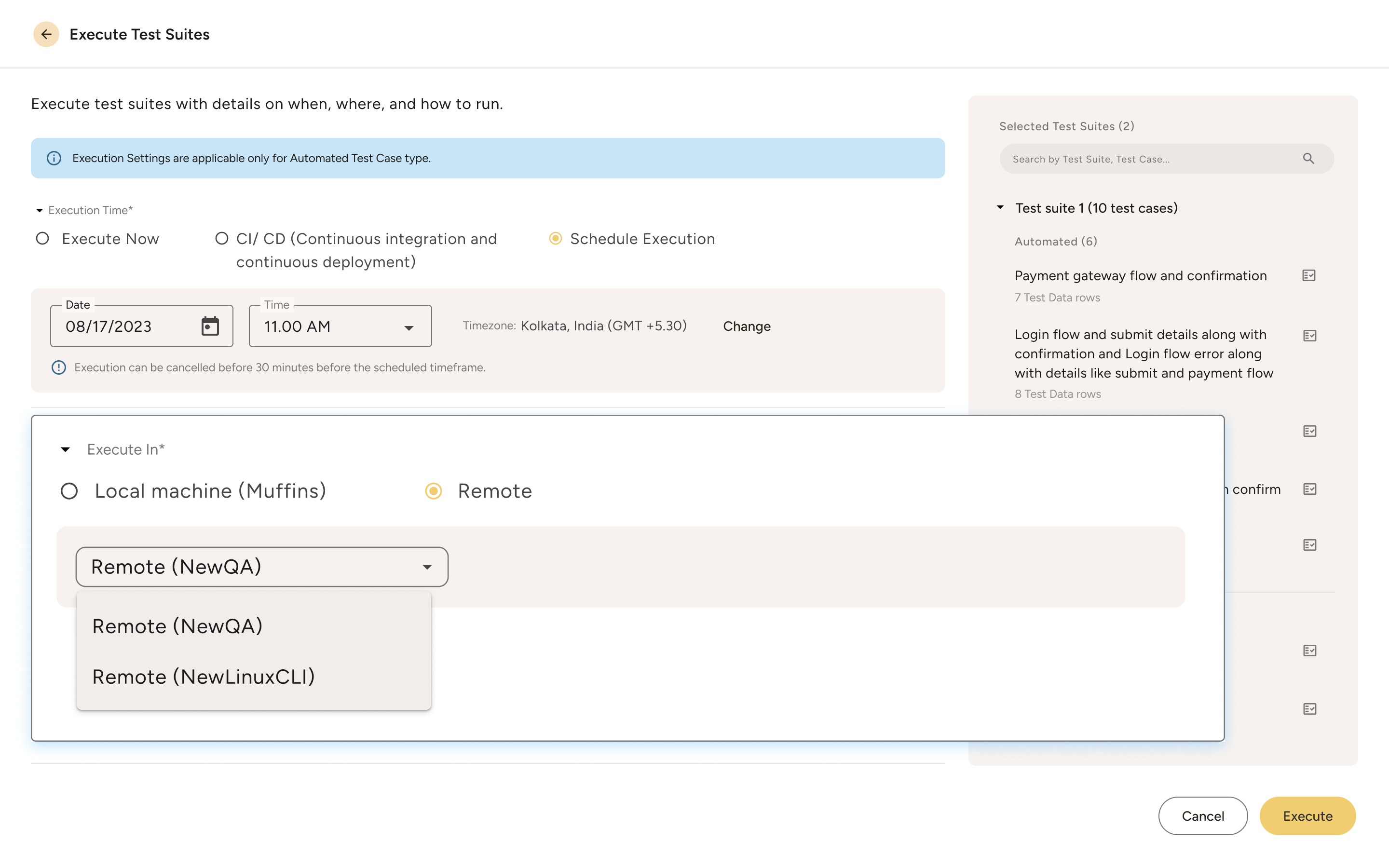
- Execute tests your way - locally with visual feedback, remotely across Windows/Linux/Mac agents, or automatically through CI/CD pipelines.
- Go for an immediate execution.
- Schedule runs at specific time or day.
- Hook your test suites to CI/CD pipelines.
Headless Mode
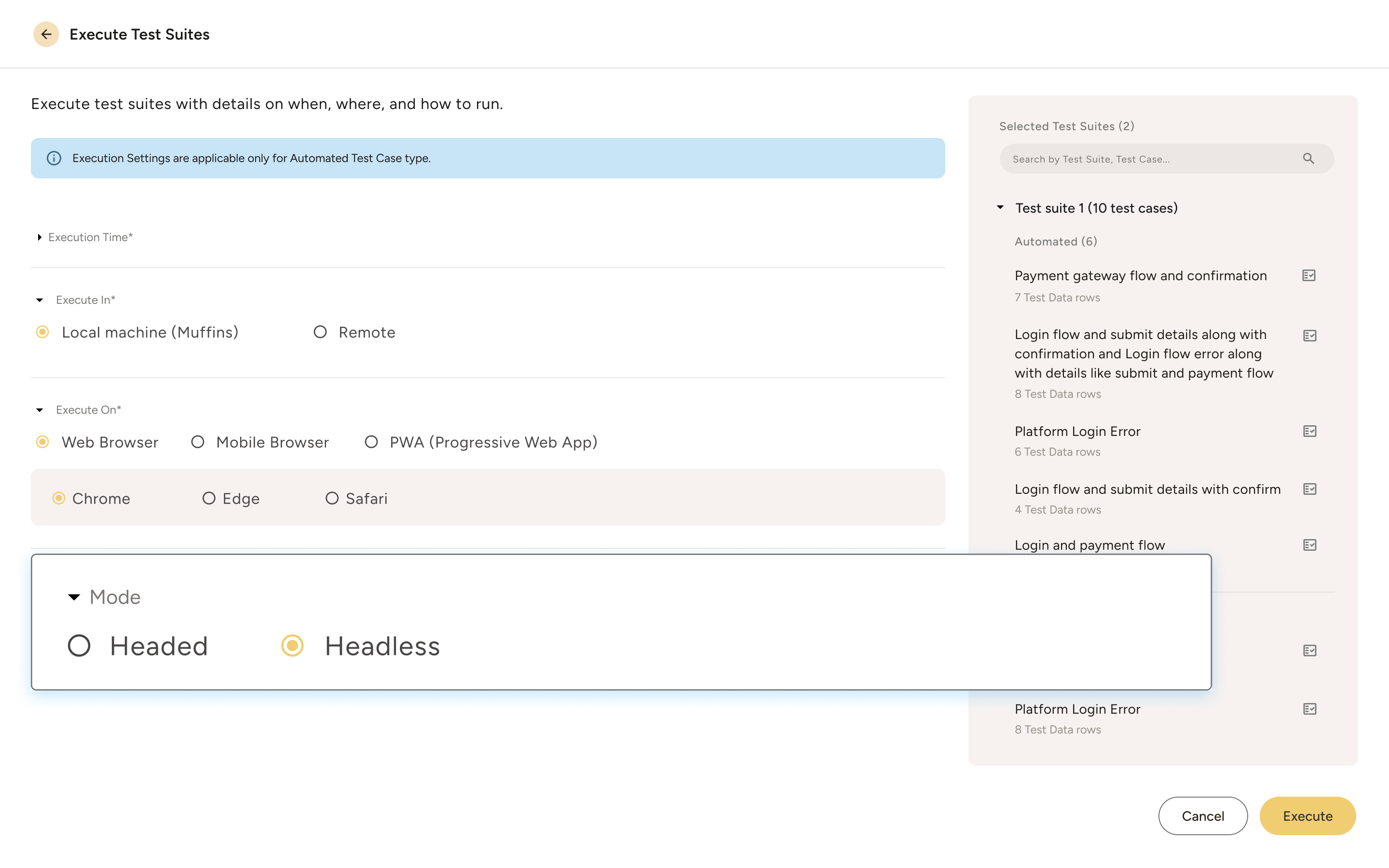
- Execute silently in the background while you work. Perfect for CI/CD integration and high-volume regression testing.
- Toggle between headed and headless with one click.
Multi-Browser Testing
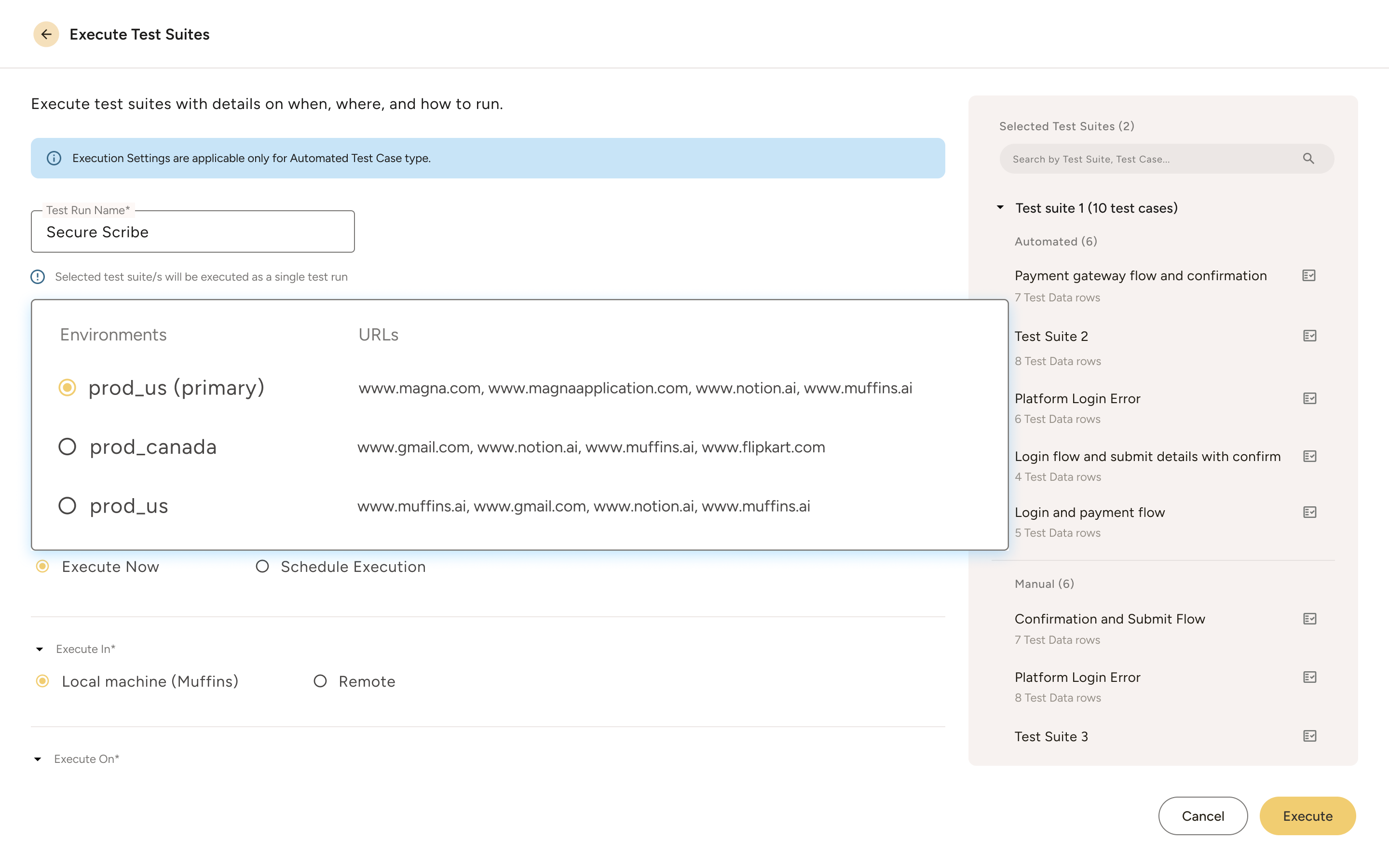
Environment Management
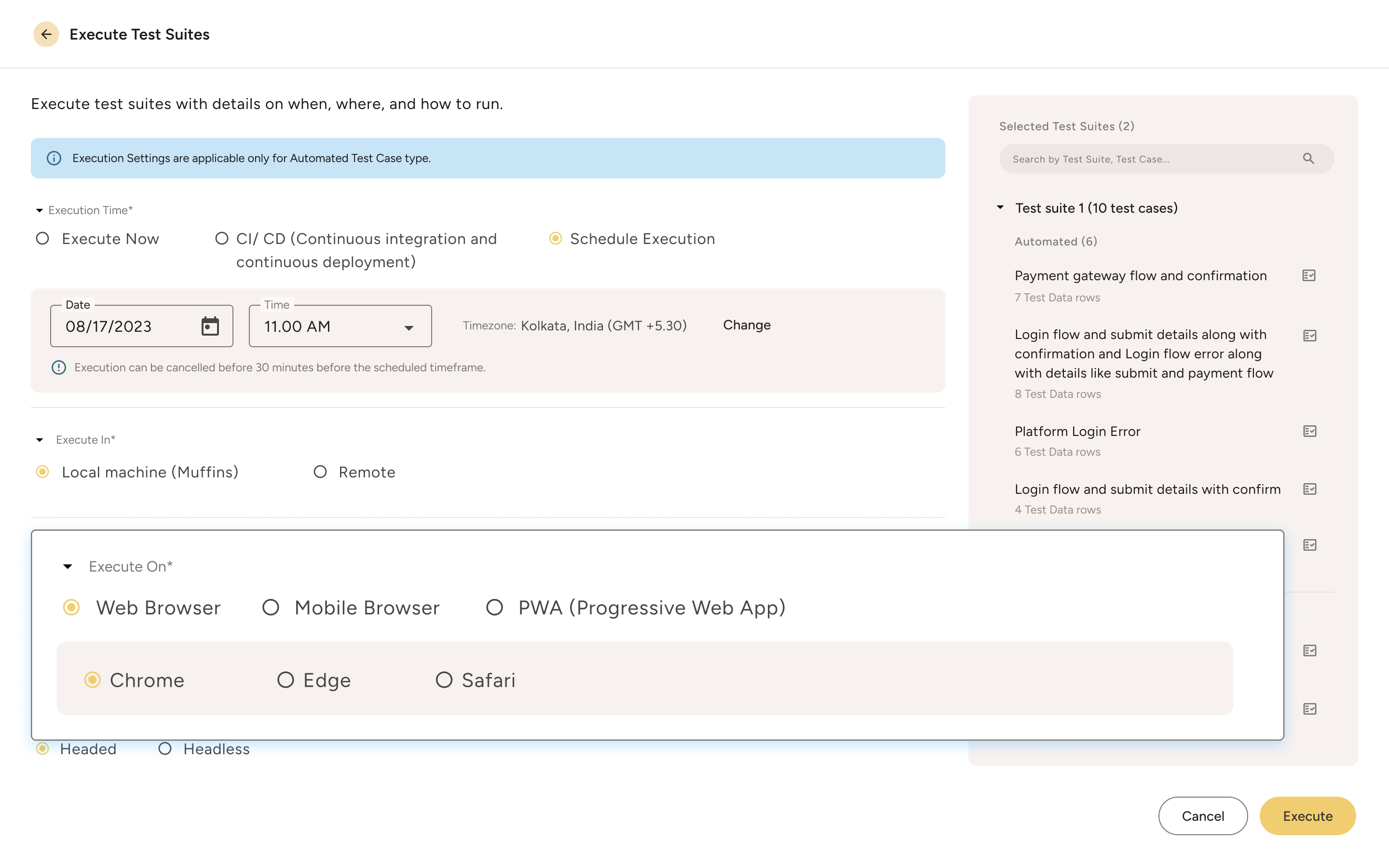
- Configure unlimited environments - dev, staging, UAT, production.
- Execute the same test suite across different URLs without modification.
Self-Healing Execution
- When UI elements move or rename, tests don't break; they adapt.
- Our robust algorithms will be employed to detect changes and adjust on the fly, ensuring continuous execution without manual intervention. We would consider a blend of classical algorithms and vision-based LLMs if our clients insist for a highly complex situation.
Seamless CI/CD Integration
- Muffins seamlessly integrates with your CI/CD platforms and allows you to execute with a one-click trigger, running only relevant tests across platforms
- Easily be customized to common CI/CD pipelines. It adapts to your setup - Jenkins, Azure DevOps etc, without extra setup.
Distributed Testing
- Scale horizontally without limits. Muffins' distributed architecture runs tests simultaneously across multiple agents and browsers.
- Execute 10 or 1,000 tests - same reliability.
- Centralized reporting aggregates results from all distributed environments instantly.
Join QA teams who deliver reliable software 3x faster every sprint



Execution Control at Your Fingertips
Live Monitoring
Instant Results
Automatic Reporting
Frequently asked questions
Self-healing leverages best of both worlds – deterministic algorithms and AI models. When algorithms fail to locate, AI models kick-in. Further, our AI-based visual language models are reinforced with techniques from classical algorithms to significantly reduce the hallucination problems.
Deterministic algorithms and AI models are independent deployments. Muffins AI module can be merged or separated as per the need of customers who have such restrictions.
Yes. Import Excel files directly. Map columns to test parameters. Use different datasets per environment. Dynamic generation creates unique values for each run.
Deploy (Muffins) agents directly into your remote environments and configure them to operate fully behind your firewall. Tests execute entirely within your secure infrastructure, with only the results syncing back to the central dashboard. In this way, we ensure complete data sovereignty.
No hard limits. We have customers running 500+ simultaneous executions. Add agent nodes as needed—performance remains constant.
Yes. Select iOS or Android form factors. Tests execute in mobile viewport dimensions. Same tests validate both desktop and mobile experiences.
Configure multiple environment URLs in project settings. Select target environment at execution. Tests automatically adjust base URLs while maintaining test logic.