Design & Automate

Generate test cases by just exploring your application

Click buttons. Fill forms. Validate outcomes. Muffins automatically captures every interaction as readable and reusable test steps; and generates automation-ready test cases in natural language.

Compare

Same test, different worlds

Traditional Test Automation
Maintain: Update broken tests manually
Script is needed
Write: driver.findElement(By.id("login"))
Learn: 3-6 months to be productive
Create: 5-10 tests per week (per tester)
Muffins Test Automation
Auto-heal: Tests adapt to UI changes
Generates test steps in natural language Example : Click "Login button"
Produce: Automated tests on day one
Generate: 100+ tests per week (per tester)
Impact

Impact by the numbers

Manual Testers
  • Productive in hours, not weeks
  • Focus on exploration, not repetition
100+
tests created weekly
Organizations
  • Complete automation coverage within 
the same sprint
90%
automation with Manual testers
Product Teams
  • Validate features without QA bottlenecks
  • Requirements become living documentation
  • Catch issues before development
>50%
reduction in QA operational cost 
in 3 months
Capabilities

Core Capabilities

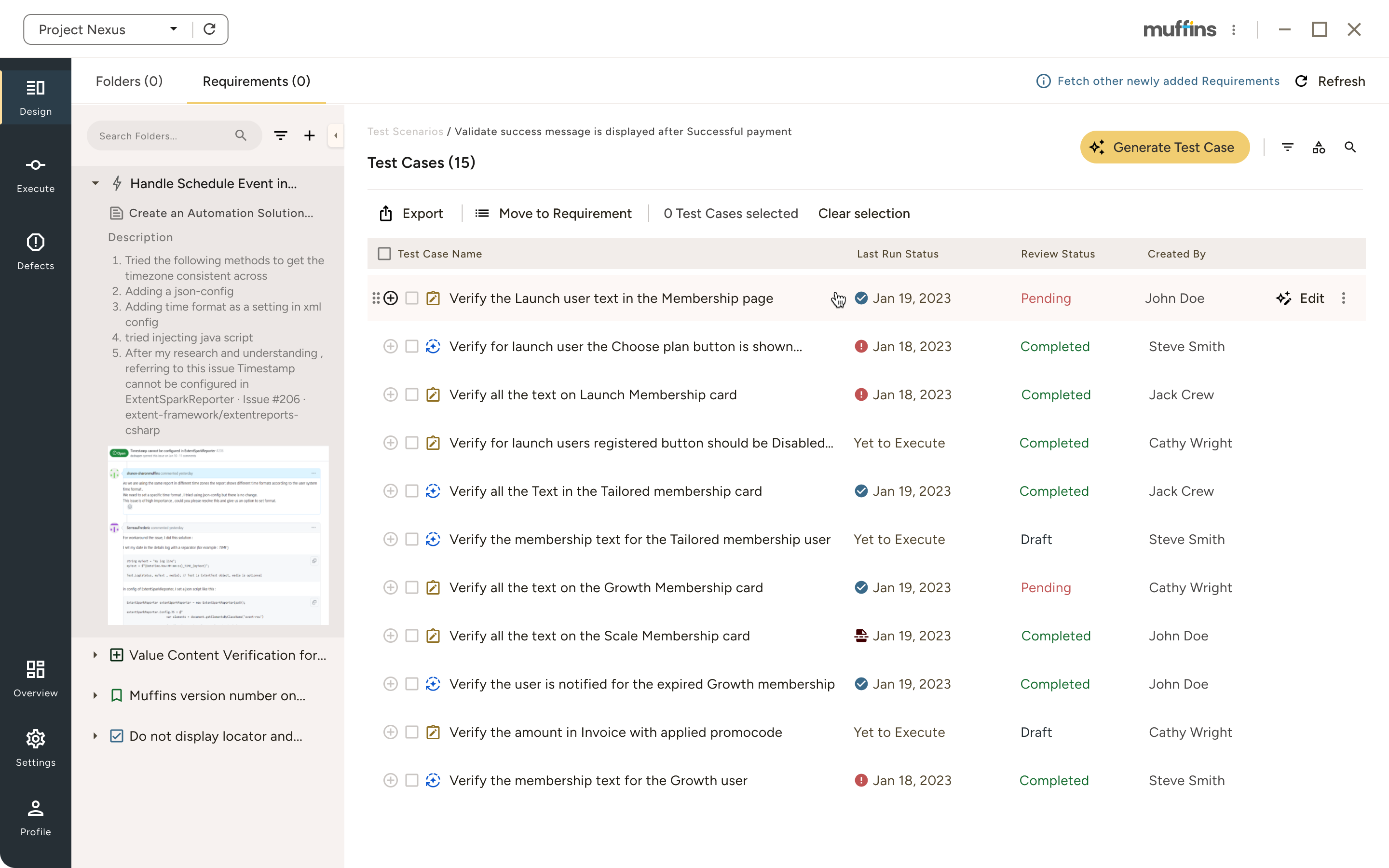
Requirements Integration

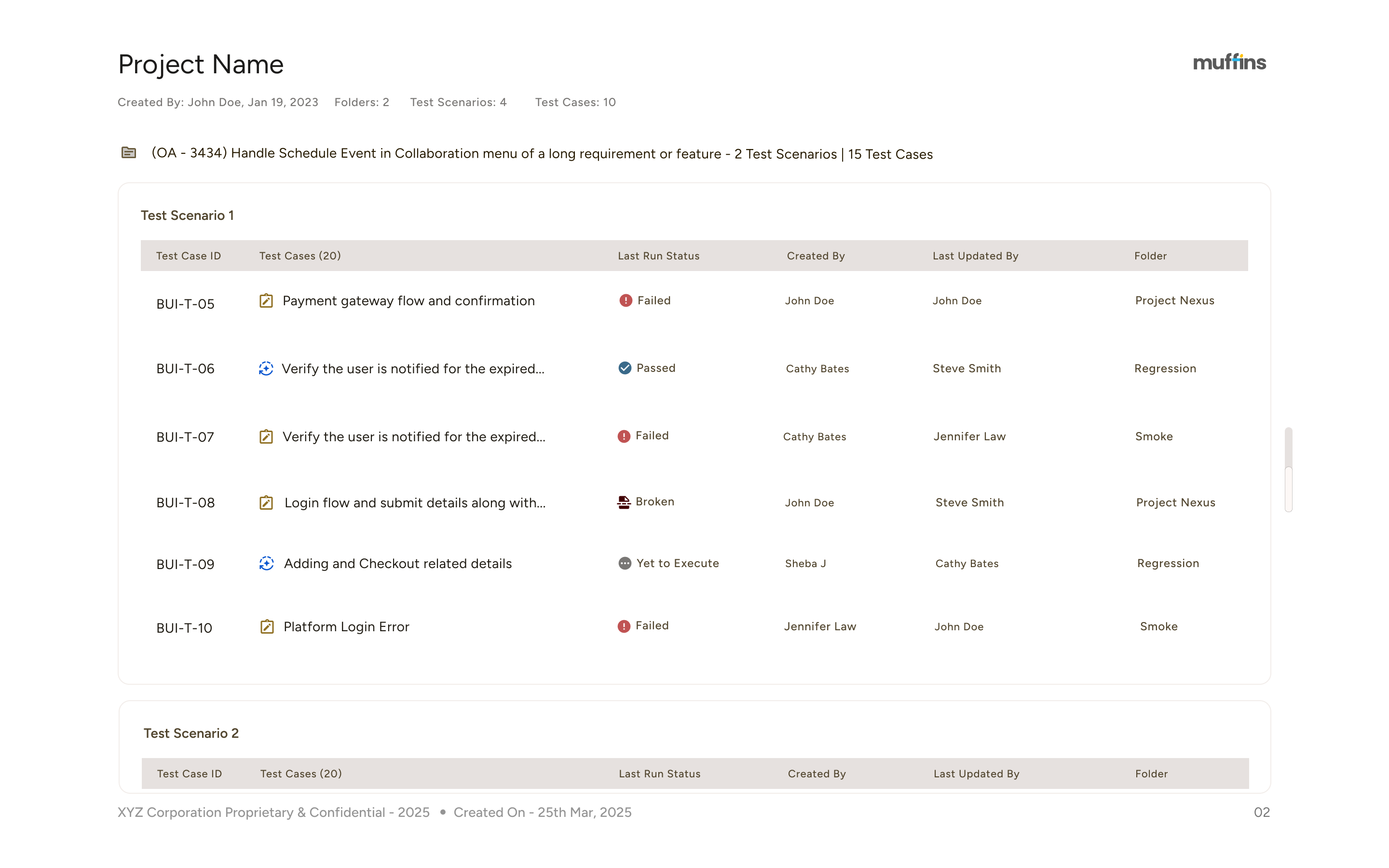
  • Connect epics and user stories in JIRA & other similar tools to test cases with one click, seamlessly.
  • You can generate requirements traceability reports.
  • User can do the traceability setup at project level.
Project Nexus software interface showing the Requirements tab with a list of eight test scenarios, including validation of success and error messages related to payments, along with test case counts and creators' names.Project Nexus test case management interface showing a list of 15 test cases with statuses like Completed, Pending, Draft, and Yet to Execute, including controls for exporting, filtering, and generating test cases.Configure New Project window showing Traceability Setup with selectable System/Product Labels on the left and Report Labels on the right, including options for Requirement ID, Requirement Name, Test Case ID, and Test Case Name.Software interface for generating a traceability report showing selected user stories, test scenarios, and test cases with options to choose report format as PDF, and buttons to cancel or generate.Project test management dashboard showing test scenarios with test case IDs, descriptions, last run status, creators, last updated by, and folder categories.

Natural Exploration

Use your application inside Muffins' proprietary browser. Every click, keystroke, and validation transforms into test steps automatically. 
Online support form requesting First Name, Last Name, email, and a description of how help is needed, with a contact email partially visible.

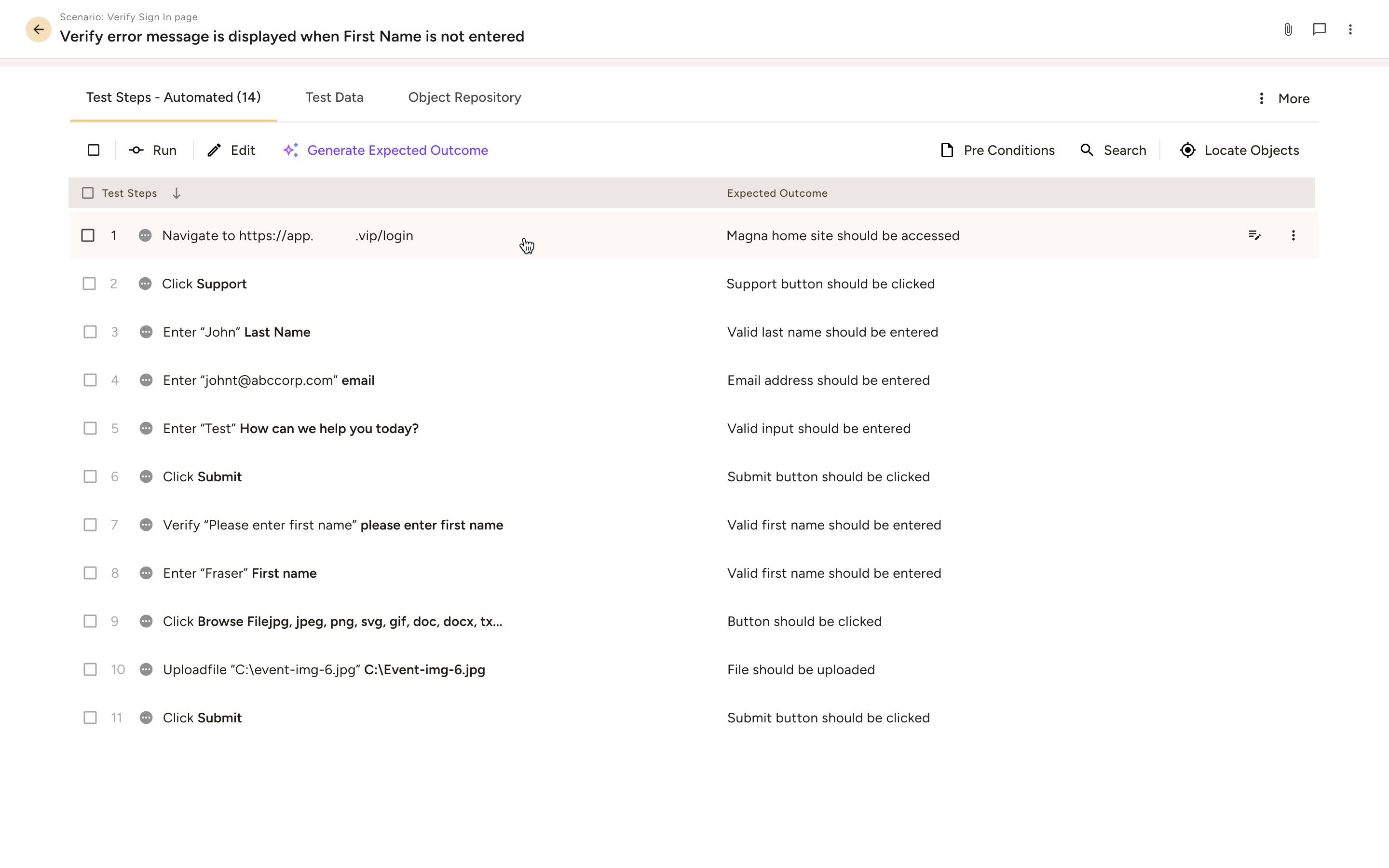
Test Generation in Natural language

  • Test steps read exactly as users do : "Click login”. 
“Enter credentials”. “Go to Dashboard".
  • Anyone can read, modify, and understand them; 
zero technical knowledge is required.
Test steps outlined for verifying sign-in page error message when first name is not entered, including navigation, data entry, and validation actions.

Reusable Test Components

  • Build every repeating sequence like login, checkout 
flows, as a block, just once.
  • Use them across hundreds of tests. Update a single component in a block; and every dependent test case adopts.
Interface for loading reusable test blocks with search bar, a list of test blocks showing steps, selection checkboxes, and Cancel and Load buttons.

Data Parameterization

  • Import data from Excel files directly. And we can reuse the data across test cases.
  • With  built-in parameterization, a single test runs across different datasets, environments and configurations - this means, zero duplication, zero rework, zero maintenance, no stress on broken scripts.
  • Generate dynamic test data at run time, when it is required.
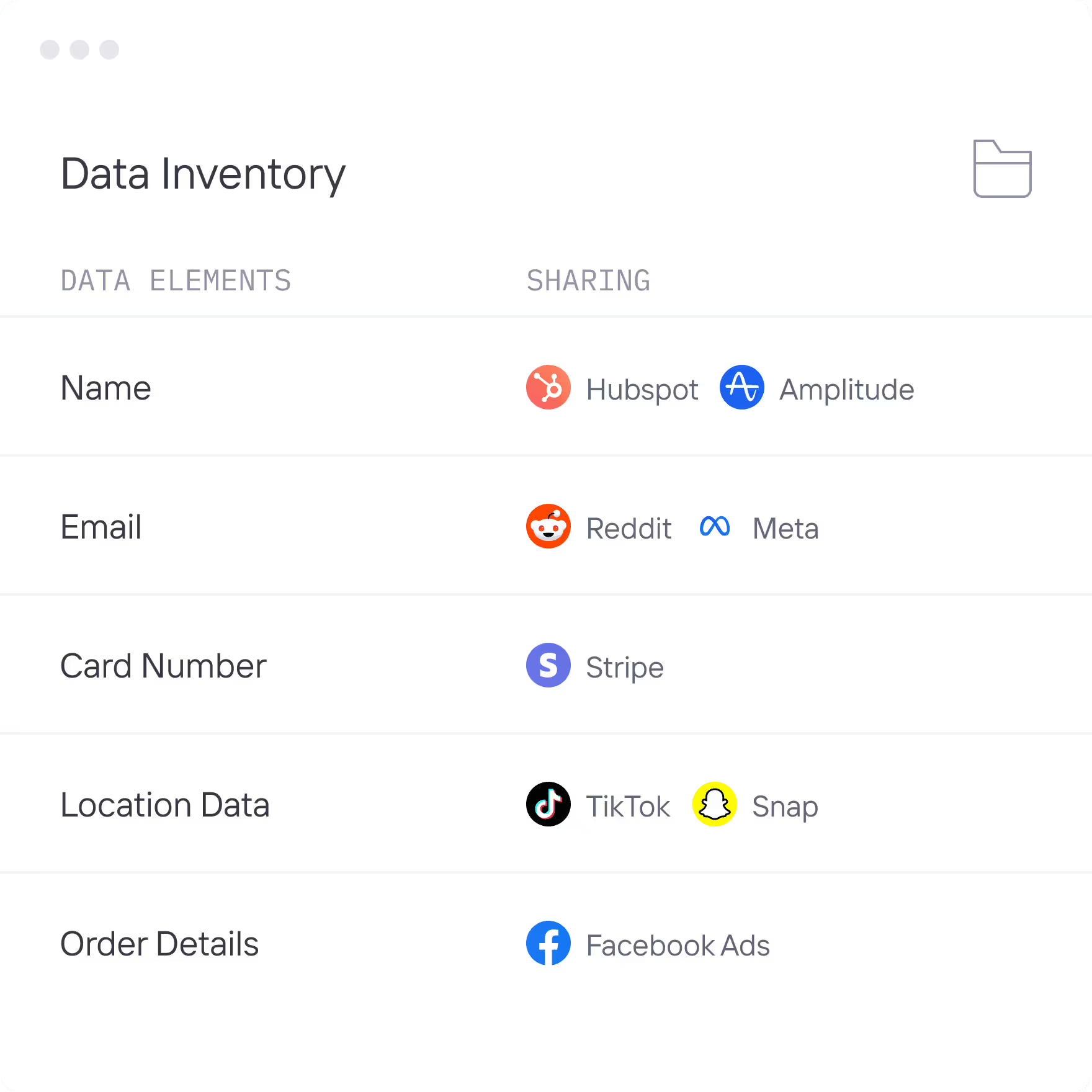
Table titled Data Inventory listing data elements and their sharing platforms including Name shared with Hubspot and Amplitude, Email with Reddit and Meta, Card Number with Stripe, Location Data with TikTok and Snap, and Order Details with Facebook Ads.

Automatic Security

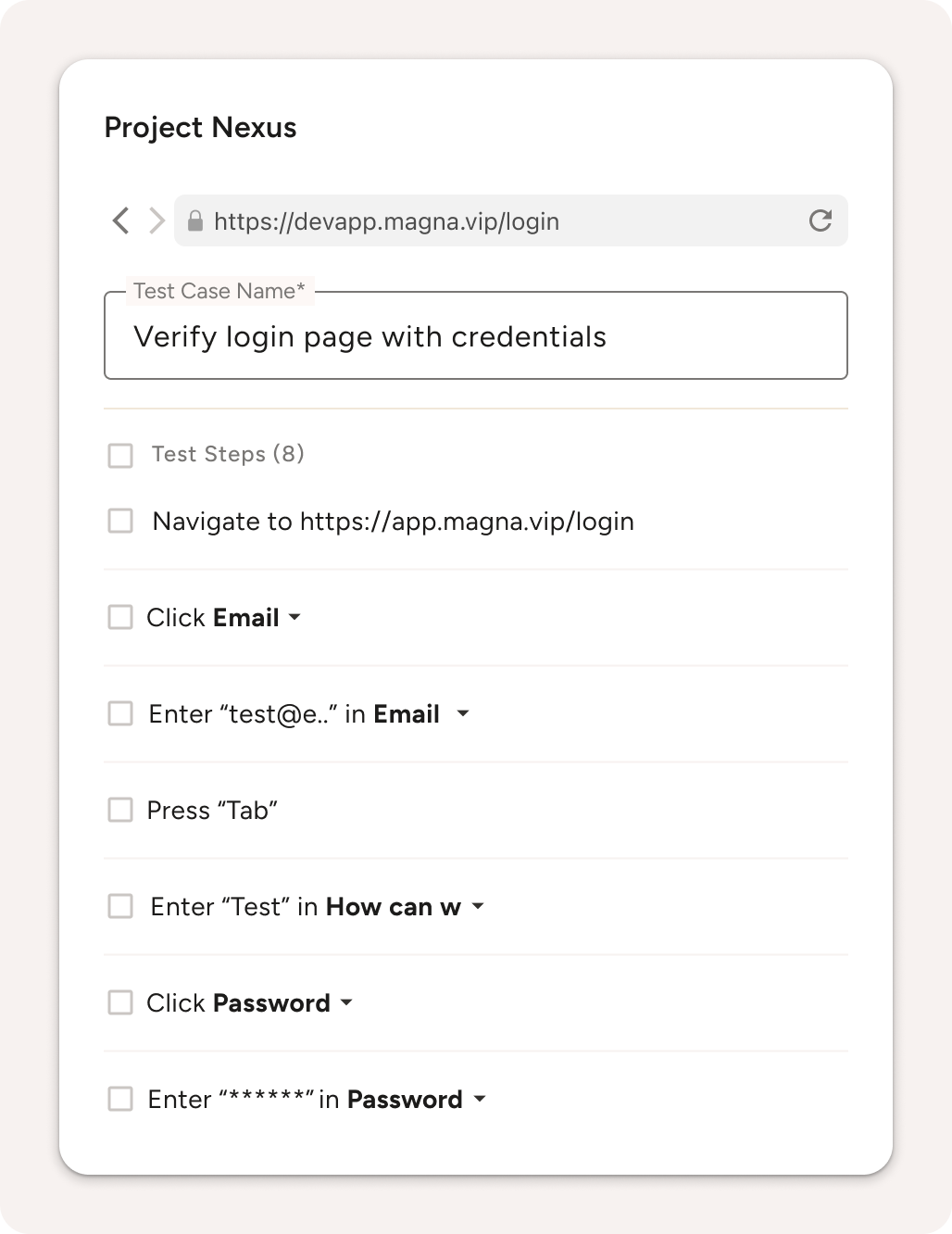
While Passwords are masked automatically across all designs, logs, and reports, other types of sensitive data can be masked manually.
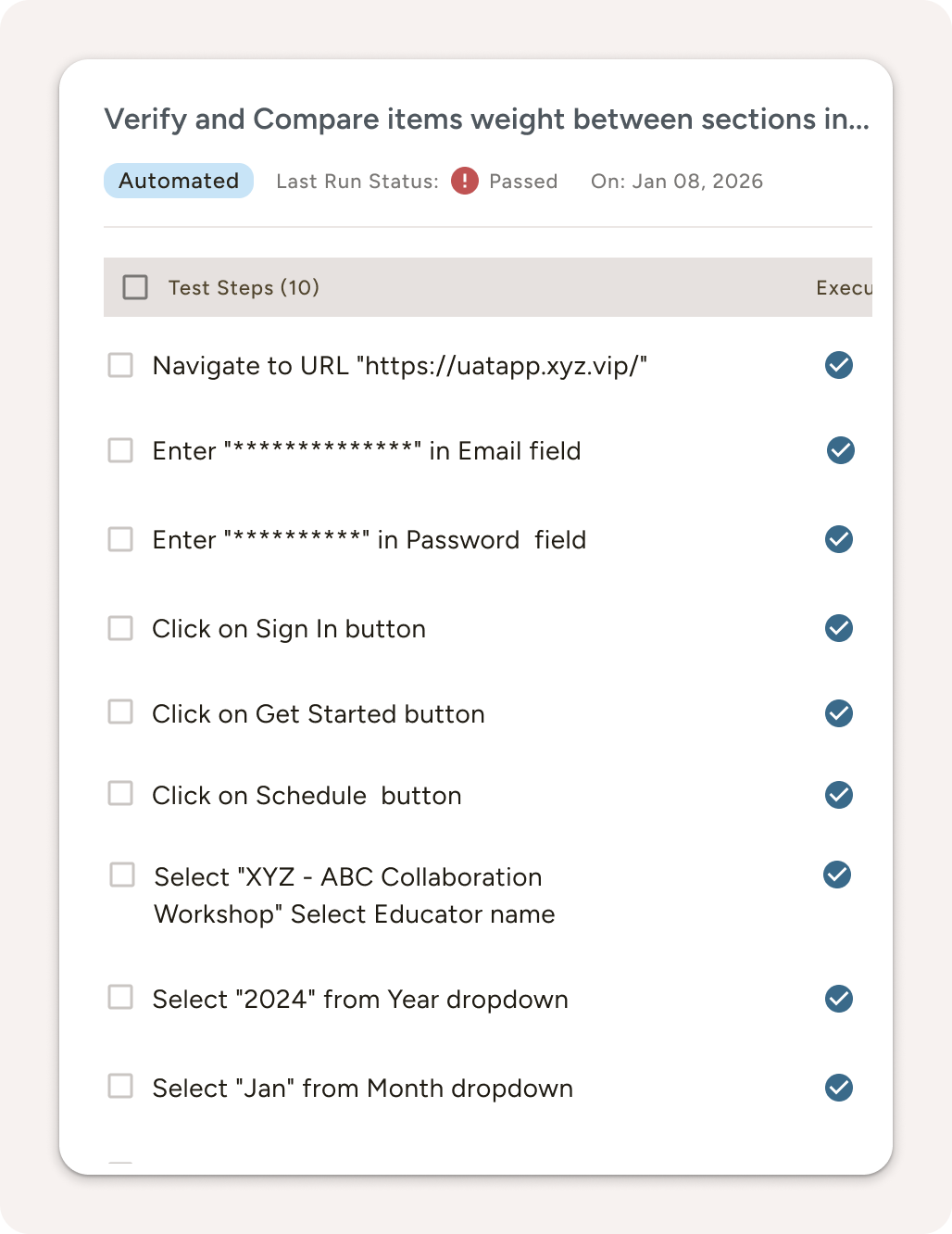
Project Nexus test case interface showing steps for verifying login page with credentials including navigating to login URL, entering email and password, and pressing tab.Automated test checklist with 10 steps, all marked completed, verifying website navigation, login, button clicks, and dropdown selections.

Join QA teams who deliver reliable software 3x faster every sprint

Multicolor vertical bars logo with gradient transitioning from light blue to yellow-green.
Neuro Sensum company logo with 'neuro' in orange and 'sensum' in gray stylized text.
Logo of MAGNA with a stylized gold and silver triangular prism symbol to the left of the text.
FAQs

Frequently asked questions

(01)
Can non-technical users really create complex test scenarios?

Yes, Muffins is a no-code test generative automation platform, you just need to explore the application. While test cases are being generated, automation happens. Muffins handles the technical complexity while you focus on business logic and user flows.

(02)
What about our existing test data and Excel files?

Import them directly. Muffins transforms your Excel data into dynamic test parameters, enabling data-driven testing without any scripting.

(03)
How does requirements integration actually work?

Connect your Jira instance in minutes. Select any user story click "Generate Tests," and Muffins will create tailored test cases that are linked back to the original Jira ticket for full traceability. All executed tests remain linked to their corresponding Jira items – this ensures seamless requirements coverage and easy reporting across your projects.

(04)
What happens when developers change the UI?

Muffins' self-healing algorithms detect changes and adapt automatically. A renamed button or relocated field won't break your tests - they adjust and continue running.

(05)
Do we need to install special browsers or plugins?

Muffins has its own intelligent browser, besides employing  the most popular ones like Google Chrome, Safari, Edge - no plugins, extensions, or special configurations needed. Install once, test everywhere.